
On this page
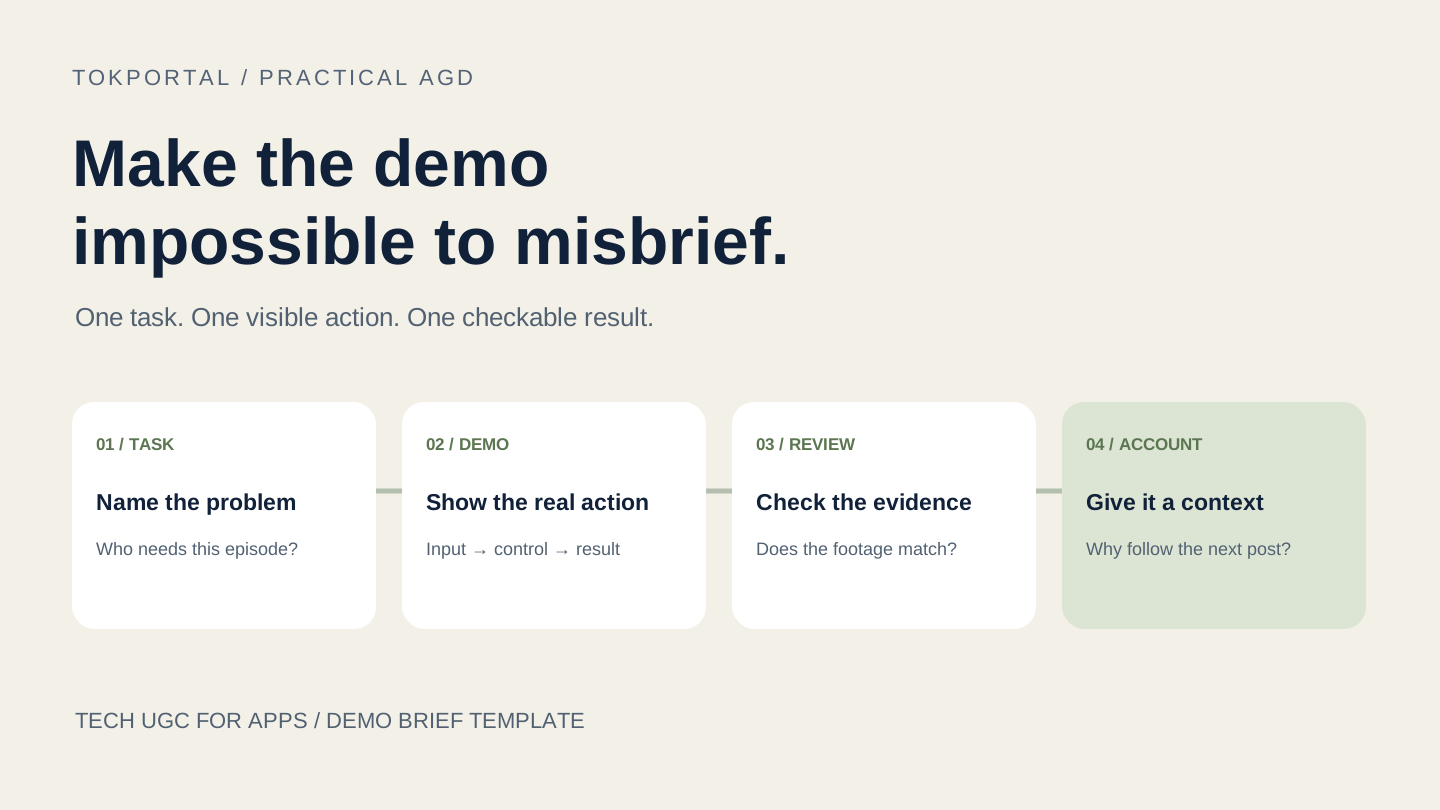
To brief a Tech UGC app demo, specify one user problem, one real product action and one visible result. Then define the recording setup, the claims the footage can support, the files you need and the account that will publish them. A creator should be able to film the demo without inventing a customer story or guessing which feature matters.
This guide develops an original briefing method for app teams. It connects production to Account-Generated Distribution (AGD): the account's editorial role determines which problem the demonstration should address. It does not prescribe a universal video length, forecast installs or turn a provider's advertised results into an industry benchmark.
Account-Generated Distribution (AGD) is an organic growth model where content is distributed through a network of purpose-built social accounts instead of relying on a single brand account or external creators for reach.
A Tech UGC file can be part of that model. It can also be delivered for a brand's own page or a paid campaign. Decide the publication arrangement before filming, because a tutorial for an ongoing account and a standalone advertising asset may need different openings, context and calls to action.
Sources & real examples
Public accounts, original posts and primary references. Each example is linked where it is discussed.
View all 6 sources and review notes
- Adworkly: offered Tech UGC scope ↗
Read page sections on consumer app, SaaS and AI demonstrations. Advertised production/performance claims are not reused as independent results.
- Socialji: creator delivery workflow ↗
Read scope and order flow. Transaction explicitly illustrative; not presented as a completed customer order.
- Apple: screen recording ↗
Read Control Centre recording, saved recordings and content/mirroring limitations.
- Android: screen recording ↗
Read Screen record, Quick Settings and optional audio/touches; acknowledge device/version differences.
- TikTok: commercial disclosure ↗
Full official text returned by search: own-brand versus third-party promotion, disclosure setting and publishing steps. Browser rendering unavailable today.
- Sab Yang: Notion Calendar tutorial ↗
Original 9 March 2024 creator video and public description inspected in browser on 10 September 2026. Declared Notion partnership; product frame around 2:24 shows event and weekly recurrence panel. No private results or AGD adoption claimed.
Start with a task the viewer recognizes
A list of features leaves most of the creative decision to the person filming. “Show our folders, reminders and AI assistant” describes a navigation tour. “Show a freelancer turning scattered project notes into tomorrow's task list” gives the viewer a reason to understand the interface. This is a proposed example for a hypothetical app, not a customer result.
Write a brief sentence with three blanks: this viewer is trying to do this task, but this specific obstacle gets in the way. Choose an obstacle the actual product can address in the version the creator will use. If the relevant feature exists only in a future release, change the brief instead of asking an editor to manufacture a finished screen.
The result needs to be visible enough to film. A newly organized list is observable. “My business became more productive” requires evidence beyond a recording. Narrowing the promise makes the demo clearer and makes review less subjective: the reviewer can check whether the promised list appears and whether the shown actions actually produce it.
Record what the viewer must already know. An introductory account may need to explain the task first; an account serving experienced designers can begin inside a familiar workflow. The same product can support both accounts, but the two episodes should earn attention through different explanations and examples.
Read provider examples as descriptions of scope
Adworkly's Tech UGC page describes app walkthroughs, software workflows and prompt-to-result demonstrations. Its page also makes performance and production-volume claims. Here, the useful observation is the range of deliverables it advertises. Those claims do not establish how your own campaign will perform or what the category costs on average.
Socialji's tech creator page describes a different purchasing flow: give a creator a brief, agree on assets and use terms, review delivery, then publish. Its displayed transaction is labelled illustrative. Treat it as an explanation of its workflow, not a verified completed app campaign or a general price benchmark.
These two public descriptions show why a request for “Tech UGC” leaves work unspecified. Your written brief should answer who records, who edits, who approves, who publishes and what each delivery contains. Confirm those details with the actual provider rather than assuming that a category label includes account management, posting or ongoing revisions.
Neither example proves independent adoption of the AGD term. AGD is the distribution framework used in this guide; the providers' own descriptions remain attributed to them. A production agreement alone does not reveal the editorial identities or operating arrangements of any accounts involved.
A public demo to study: Sab Yang and Notion Calendar
In Sab Yang’s Notion Calendar tutorial, the product screen occupies most of the frame while the creator appears in a circular overlay. The description declares a Notion partnership. This is a sponsored, long-form creator example from March 2024, not a TokPortal customer case, a short-form performance benchmark or evidence of an AGD account network.
At the inspected frame around 2:24, a named calendar event is visible beside its detail panel and weekly recurrence setting. The useful production choice is that the viewer can connect an event on the calendar with the setting being explained. Our interpretation: the interface supplies a checkable reference while the presenter supplies context. The public video provides no app-install or purchase attribution for this analysis.
Translate that observation into an original brief, rather than copying the creator’s footage: name the sample event, state the intended recurrence, show the control and retain the resulting state. A vertical edit would need deliberate reframing to keep the relevant controls readable. Recheck the current product version; this historical example is a composition reference, not today’s Notion instructions.
Build a short sequence with a checkable payoff
Divide the demonstration into scenes with a job, a screen action and an acceptance condition. The opening states the task. The next scene establishes the starting state. The central scene shows the product action. The closing scene shows the resulting state and gives a next step that the viewer can actually take.
For the hypothetical planning app, the starting state might be a sample project containing five untidy notes. The action is moving those notes into a daily plan. The result is a dated list with the relevant tasks visible. Five notes is an invented example input, not a recommended algorithmic threshold or a measured optimum.
Write the spoken line beside each screen action. If the line says “I move this into tomorrow,” the recording should show the date change or the resulting placement. If the necessary action is hard to see, revise the scene or the framing. Adding a stronger claim in voiceover does not repair missing visual evidence.
Keep only the actions needed for that episode. Login, navigation and waiting can matter when the task is onboarding; they may distract when the task is showing an export. Make editing decisions explicitly. A cut can remove an irrelevant pause, but it should not suggest an instant result when the actual process takes longer.
There is no required number of seconds in this method. Rehearse the sequence, watch it on a phone and check whether a first-time viewer can follow the action. Shorten duplicated explanations before cutting a step that makes the result understandable. Write any required timing as a production constraint for this brief, not as a universal rule for TikTok reach.
Tech UGC app demo brief: copy and fill in
TECH UGC APP DEMO BRIEF
Product / version / OS / language / region / plan:
Demo account and permitted sample data:
Viewer problem / account editorial promise:
One product action / visible result:
Creator’s real experience / approved explanation:
Claims allowed / evidence owner / claims to omit:
Reference post / what to learn from its composition:

SCENE CHECKS
1. Starting situation: what should the viewer recognize?
2. Starting screen: which sample input is visible?
3. Action: which real control changes the state?
4. Result: what must be readable and match the narration?
For each scene: spoken line / screen action / acceptance check.

RECORDING SAMPLE
Device and app version confirmed:
Product text readable at actual phone size:
Notifications and personal information absent:
Screen recording and audio supported:
Waiting, cuts and selected AI outputs explained accurately:

DELIVERY AND PUBLICATION
Content ID / account role / revision / approved file:
Edited video / requested raw files / captions / cover:
Deliverables and use terms agreed / revision deadline:
Product reviewer / publication reviewer:
Approved caption / commercial disclosure / destination:
Post URL / publication time / observed issue / next decision:
For a filled example, download the four-scene CSV. It describes a hypothetical planning app. Replace the proposed actions with controls that exist in your own product.
Prepare a recording environment that can be reviewed
Give the creator a permitted demonstration account and a small set of sample inputs. Explain which parts of the product they can show and which settings they can change. Keep real customer information out of the demo. A staged example is useful when it is clearly a demonstration; it becomes misleading when presented as an actual customer's personal outcome.
Record the app version, operating system, language, region and subscription tier used for the shoot. This information need not occupy the video, but it belongs in the delivery notes. It helps explain why a reviewer sees a different button, why a feature is absent on another device or why a price screen differs from the one originally approved.
Apple documents screen recording through Control Centre, including the countdown, stopping the recording and finding the saved file. Apple also notes that some apps may prevent audio or video recording. Check the actual app before promising a screen-capture deliverable; a restriction is not a reason to fabricate replacement footage.
Google's Android instructions describe Screen record in Quick Settings, recording choices and optional audio or touch indicators. Device and Android-version differences matter. Have the creator confirm the available controls and send a short sample before recording a full batch.
Review that sample for readable interface text, notifications, unintended personal details and audio. A clean demonstration setup reduces avoidable reshoots. It does not require pretending that the interface, feature or product result is different from what a normal eligible user would encounter.
Separate product explanation from personal testimony
A creator can explain what an app does without claiming a history of using it. “This is how the export works” can be supported by a demonstration. “I have used this every day for six months” needs to be true of the speaker. Put that distinction in the brief instead of leaving the creator to infer the desired level of enthusiasm.
Build a claim list before recording. For each sentence about the product, name the supporting feature, documentation or evidence owner. Mark statements that depend on a plan, a locale or an optional setting. If a statement is an opinion, keep it recognizably subjective and do not rewrite it as a measured improvement.
AI demonstrations need the same discipline. Preserve the input and the actual output used in the scene. If the creator makes several attempts, the final video must not imply a tested success rate from the chosen attempt. Showing one useful output is a demonstration, not proof that all users receive that result.
TikTok's promotion guidance says commercial promotion requires its disclosure setting. It distinguishes promotion of one's own business from branded content for another business. Put the appropriate disclosure step in the publishing instructions and verify it on the actual post. Do not build the creative around concealing the relationship.
Assign the episode to an account with a reason to exist
The AGD question is which account should publish this demonstration and why its audience would value another episode. An account about freelance project administration can cover the planning example. An account about study routines would need a different situation, inputs and payoff, even if both demonstrate the same app feature.
Give each account a short editorial promise. Then write the opening, example and next step for that promise. A student example could organize revision tasks; a freelancer example could sort client deliverables. These are proposed briefs. They are not evidence of existing accounts, app adoption or results in either audience.
This requires more than changing the first line on an identical file. Record distinct situations and explanations, and review the complete episode for coherence with the account. The account and content isolation guide explains the wider principle; this brief applies it to a specific product demonstration.
Choose the next step from the publishing account's actual capabilities. If the intended destination is unavailable, revise the call to action before recording. A spoken promise to tap a link that the account cannot display leaves the final video unusable. The organic app attribution guide covers the measurement setup and route checks separately.
Deliver a package an operator can publish correctly
Agree on the actual outputs: the edited video, the clean screen recording where required, captions or subtitle files, a cover, the approved posting text and the review notes. Specify what is included in the arrangement. Do not assume that ordering one video automatically includes raw footage, editable projects or every possible future use.
Use a stable content identifier across the brief, files and posting record. Include a revision number so the operator can distinguish the approved cut from a rejected version. Keep filenames readable: an identifier, an account role and a revision are often enough. A folder full of files called final-final makes small publishing errors unnecessarily easy.
Name the person who accepts the product demonstration and the person who approves publication. These can be the same person in a small team. The practical point is that someone checks the product, and someone checks the post destination, caption and disclosure. A delivery receipt proves that files arrived; it does not prove that either review occurred.
When revisions are needed, identify the exact scene, the defect and the expected correction. “The task appears under today, while the spoken line says tomorrow” is actionable. “Make it more viral” does not tell a creator what to change or how the revised delivery will be accepted.
Use the first batch to improve the brief
After publishing, retain the original post URL, publication time, account identity and approved revision. Distinguish a technical problem from a weak audience response. A missing caption or incorrect destination calls for an operational correction; a clear post with limited attention may call for a new opening or a different product situation.
Do not turn the highest view count in a small batch into a universal creative law. Accounts may have different audiences, histories and publication windows. Record what changed and what remained comparable. Use the observed response to choose a next experiment while keeping uncertainty visible.
Look for specific comprehension signals in public comments without treating them as a representative survey. Repeated questions about the shown feature can suggest a follow-up tutorial. A question about price can reveal a missing condition in the brief. Neither observation, by itself, proves install volume, retention or willingness to pay.
The next production cycle should end with a better instruction: a clearer starting state, a more visible result, an account-specific example or a corrected destination. When those pieces are ready, prepare your account network in TokPortal once the original episodes and their destinations are approved. The briefing work gives that distribution something concrete and useful to deliver.

Written by
Vincent Tellenne
Co-founder & CEO
Vincent is a co-founder and CEO of TokPortal. He works on the infrastructure and operating model behind scaled organic social media distribution.
Learn more about this topic with AI
Related Resources
Related Tools
Put your AGD strategy to work
You make the content.
TokPortal runs the account operations.
Create and operate TikTok and Instagram accounts in your target market. Local operators handle the account work and native publishing. You control the brief, content and campaign from the dashboard, API or MCP.
- 01Choose your market
- 02Define each account
- 03Schedule your content
Review market availability and pricing before ordering. No reach forecast is built into your plan.