
On this page
You made the demo in English. The app charges in dollars. The problem it solves is common in the US.
Then the first comments arrive from people in your home country.
That does not automatically make the content bad. But it makes the experiment harder to read: are you testing the idea, or showing it to the wrong people?
This guide is for a founder who wants to test a US audience without turning a spare bedroom into a room full of phones. First, what location actually changes. Then the workarounds. Finally, a practical setup with someone posting from the US.
Your For You feed has a location
TikTok is global. The feed in your hand is personal, and geography is one of its inputs.
TikTok’s recommendation documentation lists the country where a video was published, alongside information such as the viewer’s location, language and device settings. For a new user, location and language help shape the initial selection. As the person watches, skips, follows and interacts, that feedback generally matters more.
So two people opening TikTok in different countries can start with different content, even before either has taught the app much about their interests. They can also end up watching the same creator.
What this looks like in practice
A person managing an account from Peru described exactly the founder’s problem: the intended audience was American, but the organic audience was mostly in Peru and Latin America. They said a New York VPN and ads aimed at the US had not fixed it.
This is one person’s account of events, not a controlled experiment. It is still a useful distinction: paying to show an ad in the US does not establish that future organic posts will go there too.
Why use geography at all?
A recommendation system has far more videos available than anyone can watch. It needs a broad enough selection to discover interesting things, and enough filtering to avoid serving an irrelevant blur. Location is one useful clue: nearby events, familiar shops, language and cultural references can make a video more relevant.
That is an explanation of why geography is useful, not a disclosed TikTok rule about a fixed number of videos per country. TikTok’s public explanation does not specify one. Regional availability and local rules can also affect what is accessible; that is a separate issue from how the feed ranks it.
What to measure before changing your setup
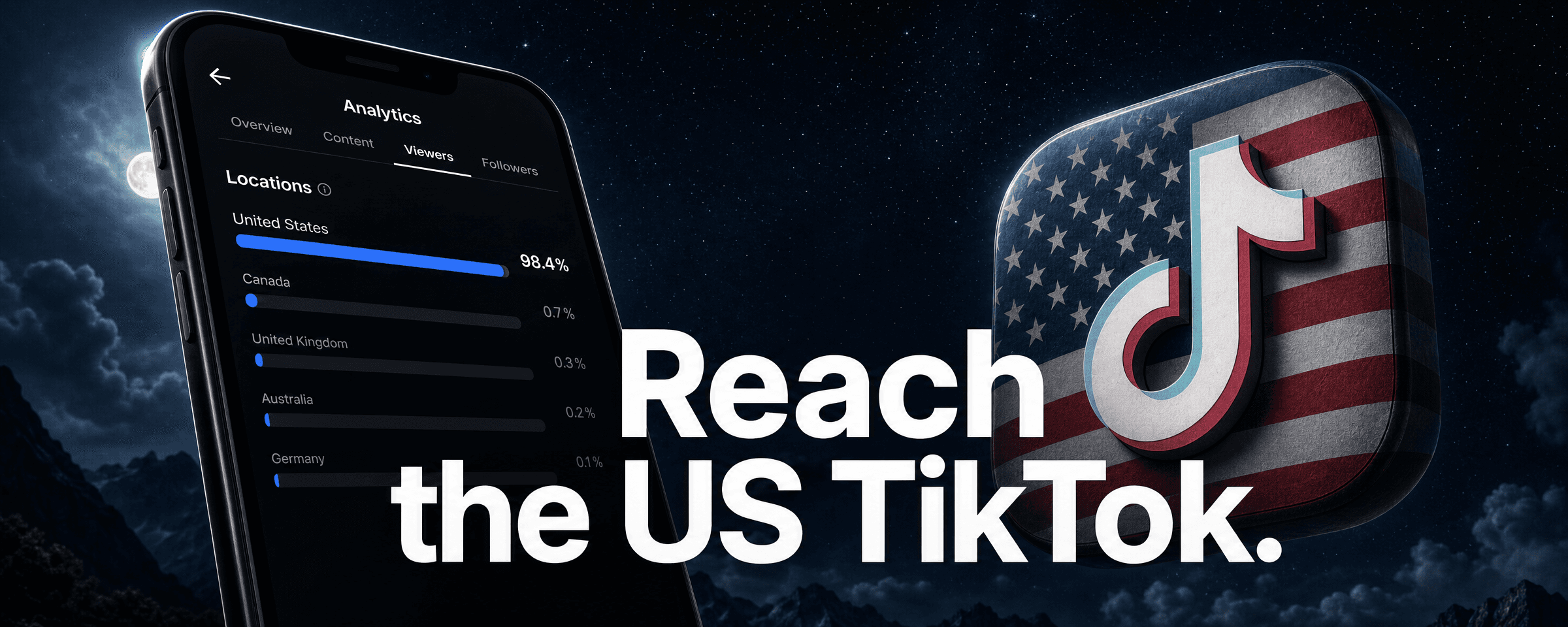
- Who saw the posts? Look at viewer territories where analytics makes them available. Your own FYP is not a report on your viewers.
- Did the right people care? Read the comments, profile visits and questions about the product.
- Did anyone try it? Use a campaign link where available, a recognizable product name and your signup or install analytics.
Compare several posts and formats. A single post with zero views does not tell you whether the problem is location, eligibility, processing, content or account restrictions.
The workarounds, and the work they create
A VPN changes the connection. It does not move the phone.
A US exit IP is an appealing shortcut. It is cheap to try, and the country selector makes it feel settled.
But TikTok says it can estimate location from device and network information, including SIM region, IP address and system settings. Changing one of those does not change all of them.
There is also the IP itself. Commercial tools can classify addresses as hosting, VPN or proxy infrastructure. IPinfo documents those categories, for example. That demonstrates the technique; it does not establish that TikTok uses that vendor or bans every classified address.
The reports vary. The creator above described zero views. In another discussion, a user described a permanent ban after trying a US SIM and a dedicated VPN IP. Neither report isolates the cause. Other users report success.
I would not build a repeatable acquisition process around the assumption that a VPN makes an account American. It introduces another thing to troubleshoot before you have learned whether anyone wants the app.
An antidetect browser adds more settings to maintain
These tools separate browser profiles and can change the details a website sees. They can be useful for managing sessions. That does not make a desktop profile equivalent to a person using TikTok on a phone in the US.
There are a lot of moving parts. Multilogin’s documentation, for example, covers timezone, WebRTC, fonts, graphics and other fingerprint settings. Keeping a modified profile consistent across sessions is work. A network address is only part of the picture.
The comment above concerns AdsPower and two restricted accounts. It does not prove that every antidetect browser is blocked, or that a particular fingerprint mismatch caused the restriction.
Browser profiles, Android emulators and remotely operated phones are also different products. A slow remote connection can make posting unpleasant; “latency causes bans” is not an established explanation.
For a founder with one app and an unfinished launch, this is a large detour.
A spare phone and a mobile proxy get closer, at a cost
This approach uses the actual mobile app on a physical phone, with traffic routed through a mobile connection in the target country. Multiply the phones and accounts and you have a phone farm.
It can work. It also puts you in charge of hardware, network service, logins, recovery, uploads and day-to-day operation.
The operator in this example described ten second-hand iPhones, proxy setup and daily account activity. Whatever you make of the headline results, read the amount of work underneath them.
The cost is more than the used phone:
- Upfront: devices, accessories and setup time.
- Recurring: connectivity, proxy service and someone operating the accounts.
- Failures: a device replacement, a changed connection or a login challenge can interrupt the routine.
- Scale: twenty accounts sharing equipment or a provider do not have twenty independent failure points. One shared problem can affect several at once.
A physical device avoids inventing a browser fingerprint, but maintaining a consistent environment still takes attention. If managing phones is a capability you want to build, that may be a reasonable trade. If your job is shipping the app, price your time into it.
Have someone in the US do the posting
The straightforward alternative is a person actually there, using a real local device and connection.
You can arrange that with a trusted collaborator or a local social-media operator. You still need to agree on access, ownership, turnaround, content approval and what happens when something goes wrong.
The advantage is simple: the person, device and connection really are in the market you chose. There is less location simulation to maintain. That is a cleaner setup, not a promise of an exclusively American audience or an account that cannot be restricted.
TokPortal is one way to organize that workflow. You prepare the account brief and content in a dashboard; a local manager handles the platform work. Here is the current route through it.
1. Start with one account
- Sign up at TokPortal and open New Bundle.
- Select TikTok. Choose Account Only if your content is not ready, or Create Account + Upload Videos if it is.
- Choose United States as the target country.
- Choose any warming and upload slots, then read the credit summary before paying.
“Bundle” is the order that contains the account setup and any initial content work. Buying it is not the same as having a finished account.
After checkout, complete the account identity: the requested handle, display name and any bio or profile image. Prepare the required content if you bought upload slots. Then review the launch or publish action that sends the work to a manager.
Keep routine management in the dashboard. Do not treat revealing credentials as a casual next step: under the current terms, credential reveal is a paid handover that detaches an eligible account from the managed workflow. Read that screen before using it.
2. Give warming a specific job
Warming is the account spending time around its intended subject before you assess the content experiment. For a budgeting app, that might mean looking at expense tracking, monthly budgets and subscription management.
Its most defensible purpose is to establish relevant account activity and let you inspect the niche. TikTok documents that interactions shape the feed an account sees. It does not document a guaranteed boost to the US reach of that account’s future posts.
TokPortal’s optional Advanced Niche Warming is sold by target. You provide a search topic for each target, or use the topic suggestions. A manager carries out a recorded session and reports the work.
Choose topics someone who needs your app would actually search. “Expense tracking app” is useful. “Viral US TikTok” tells the operator very little about your customers.
Watch the recording. Check that the search matches the brief and that the content is relevant. A recording makes the work inspectable; it is not an audience forecast. Treat comments and interactions as real participation, not a request for bulk promotional replies.
3. Prepare a small batch of content
For a first test, I would prepare a few different ways into the same problem. For example, a budgeting app could show a recurring charge being found, a short walkthrough of the fix, and a carousel explaining the mistake.
In Video configuration, open a slot and choose the format:
- Video: upload the finished clip or provide a direct media link, then add the caption and any sound instructions.
- Carousel: add the slides in order and the required sound information. Make the first slide understandable without the rest.
- Story: prepare a story slot, or use the separate repost-as-story option on an eligible video. The latter adds a credit charge.
Add the target publishing period and save. The current editor shows a two-day window, with a minimum lead time and daily capacity limit. It is a manager-operated service, so do not promise yourself a post at precisely 9:00 a.m. tomorrow.
Check the disclosure options when they apply. Review the assets, caption and dates before dispatching the bundle. Afterwards, follow the delivery status and review the published result.
Know what the first test costs
At the time these screens were checked, the standard TikTok account setup was 32 credits, an upload slot 2 credits, and niche warming 5 credits per target, starting at three targets.
So the illustrated setup with one account, five upload slots and three warming targets is 57 credits: 32 + 10 + 15. Account Only leaves the initial upload work for later.
There is also recurring Coverage for eligible accounts: the current builder shows 25 credits every 30 days, with the first 30 days included after the account is submitted for review. Allow for it when comparing costs. Credit prices depend on the pack or plan; check the live checkout and its validity period.
Scale the work that is already working
Let an AI assistant handle the repetitive setup
Once you understand one account, the repetitive work becomes obvious: briefs, content slots, captions, dates and status checks.
TokPortal’s MCP connector lets a compatible AI assistant operate those tools. In plain English, it gives the assistant access to your TokPortal workspace. The human manager still does the local TikTok work.
Open Developers → MCP / AI. For Claude, follow the remote-connector instructions, add the displayed URL in the connector settings, and authorize the appropriate access in TokPortal.
Here is a starting prompt. Replace the product description and provide your actual content files or accessible links:
I’m launching a budgeting app for US freelancers. Use TokPortal to prepare a plan for three US TikTok accounts: one about irregular income, one about subscriptions, and one about tax organization.
First, inspect my existing accounts and credit balance. Propose a distinct account brief and three relevant warming topics for each. Map the attached videos and carousel assets into five content slots per account, with captions and valid publishing windows.
Show the total credit cost, ongoing Coverage, any missing assets, and the exact actions you would take. Use a dry run where supported. Do not create paid resources, save chargeable options or dispatch anything until I approve the plan.
This is an example brief, not a transcript of a completed campaign. Once the plan is right, the assistant can carry out the supported actions you approve. It still needs usable media, sufficient credits and a human decision about what your product should say.
Add accounts for different ideas
Three accounts with distinct audiences or editorial angles can teach you more than three copies of the same feed. Start with a reason for each account, a sustainable content supply and a way to attribute the results.
Volume can reduce the cash cost of credits. For example, the current monthly plan screen lists 260 credits for $195 and 992 for $595, roughly $0.75 and $0.60 per credit respectively. Those are recurring commitments, not standalone account prices.
The standard account setup still uses 32 credits. You save through the credit rate, and only if you use what you buy. Include uploads, warming and recurring Coverage in the comparison.
Put paid distribution behind a promising organic post
If a post attracts the right questions and product interest, you can test it with a controlled ad budget.
In TokPortal, open Ads → Request an Ad Code, choose the managed account and an eligible finalized video, then follow the request. The current request price is 7 credits. On TikTok, the delivered authorization is a Spark code.
Use it in TikTok Ads Manager to run a Spark Ad from the existing post. Authorization and expiry matter; buying the code does not buy ad impressions. Your ad budget is separate.
Judge the paid test by installs, qualified signups or purchases. An organic view count is a starting clue, not a reason to spend indefinitely.
Give Instagram its own version
TokPortal also offers Instagram account creation and content delivery. A good demonstration can become a Reel; an explanation can become a carousel. Adapt the pacing, caption and presentation instead of assuming that a TikTok winner will work unchanged.
The useful question is whether Instagram brings additional customers at a cost you can sustain. Give it its own links and measurement window.
Then test another country
If the product already serves English-speaking customers, the UK, Canada or Australia may be manageable next tests. For other markets, localize the product experience as well as the video: currency, examples, onboarding and support all matter.
A smaller market may have fewer competitors talking to your exact audience. Treat that as a hypothesis to test, not a universal rule that traffic will be cheaper or buyers easier to win.
Start with one market, one account and a batch you can learn from. Once the right people are seeing the content, the next question becomes much more useful: what makes them want the app?
Product interface and prices checked on 8 September 2026. Product screenshots and recorded warming material: TokPortal. Public creator reports are linked where discussed; their results have not been independently audited.
Written by
Alexis Klein
Co-founder
Alexis is a co-founder of TokPortal, working with brands on localized organic distribution and campaign strategy.
Learn more about this topic with AI
Related Resources
How to run AGD for your business
Seven practical AGD principles, real TokPortal results, anonymized TikTok and Instagram examples, and a concrete 40-day plan for your app.
Build an AI agent that markets your app
A practical workflow from your product repository to original TikTok slideshows, MCP publishing and the next experiment, with real anonymized examples.
The PROVEN way to grow your app with Slideshows
A practical, illustrated guide to original TikTok and Instagram carousels: five accounts, native creative, niche warming and a 40-day learning plan.
Related Tools
Put your AGD strategy to work
You make the content.
TokPortal runs the account operations.
Create and operate TikTok and Instagram accounts in your target market. Local operators handle the account work and native publishing. You control the brief, content and campaign from the dashboard, API or MCP.
- 01Choose your market
- 02Define each account
- 03Schedule your content
Review market availability and pricing before ordering. No reach forecast is built into your plan.