
How to build a TikTok Slideshow & UGC Video machine — from Cursor.
The bottleneck has shifted. Generating thousands of posts is trivial. Getting them seen is what's hard. This playbook shows the exact stack we use to ship hundreds of slideshows and UGC clips per week, then distribute them on real US TikTok accounts — entirely from a Cursor chat.

Most teams focus on content. The real constraint is distribution.
You can generate thousands of variations per day — captions, hooks, slides, even short videos. The hard part is reaching the right audience without burning accounts in the first 48 hours. Buying recycled US accounts gets you flagged. VPNs only fool the IP check (TikTok also reads SIM, GPS, locale, device fingerprint). Posting from your own account caps you at a single geo.
The fix is a pipeline that separates three concerns: generate → render → distribute. Each step uses a specialized AI tool, glued together in a Cursor session via MCP.
01
Generate
Claude writes hooks, captions, variations.
02
Render
Image / video models produce the visuals.
03
Distribute
TokPortal posts on real local devices.
The slides are ready. Give each account a job.
Slideshow AGD connects original slide sequences to distinct account identities. A consistent persona can hold one account together; different accounts still need different voices, stories and reasons to follow. Before scaling exports, use the account and content isolation guide.
Before you distribute a slideshow
ACCOUNT PROMISE:
Who is this for?
Why would they follow?

SLIDE SEQUENCE:
Opening question:
New example or demonstration:
Useful payoff:
Natural product connection:

QUALITY:
Is the persona fictional? Make that clear where needed.
Do any claims imply results or personal experience we cannot support?
Are usage rights and required commercial disclosures ready?
What is genuinely different from the other accounts’ posts?
The stack
Four primitives. Each one is best-in-class at its job in April 2026. Swap any of them for an equivalent if you have a preference — the interfaces are stable.
Claude Sonnet 4.5
Hooks · captions · variations
gpt-image-2 · Nano Banana 2
Persona reference + slide rendering
Seedance 2.0 (fal.ai)
Reference-to-video, native audio, 720p
TokPortal MCP
Distribution to real local accounts
The glue is MCP (Model Context Protocol). Once TokPortal's MCP server is connected to Cursor (one config file), you stop thinking about REST and CSV imports. You write natural language. Cursor calls the right tool, with the right parameters, in the right order.
{
  "mcpServers": {
    "tokportal": {
      "command": "npx",
      "args": ["-y", "tokportal-mcp"],
      "env": { "TOKPORTAL_API_KEY": "tok_live_xxx" }
    }
  }
}
Heads up
mcp.json. You'll know it's working when the Cursor sidebar lists the connected TokPortal tools (create_bundle, configure_video, etc.).The Slideshow Machine
A slideshow is just a carousel of images with text overlays. With a master persona reference, you can render dozens of variations with a consistent fictional character. Keep the visual identity coherent, make the examples useful, and do not imply personal experiences or results that the character has not actually had.
Build a master persona reference
One image. One person. One vibe. Reused across every single slide. This is the most important step — without it, you get an uncanny mess of unrelated faces.
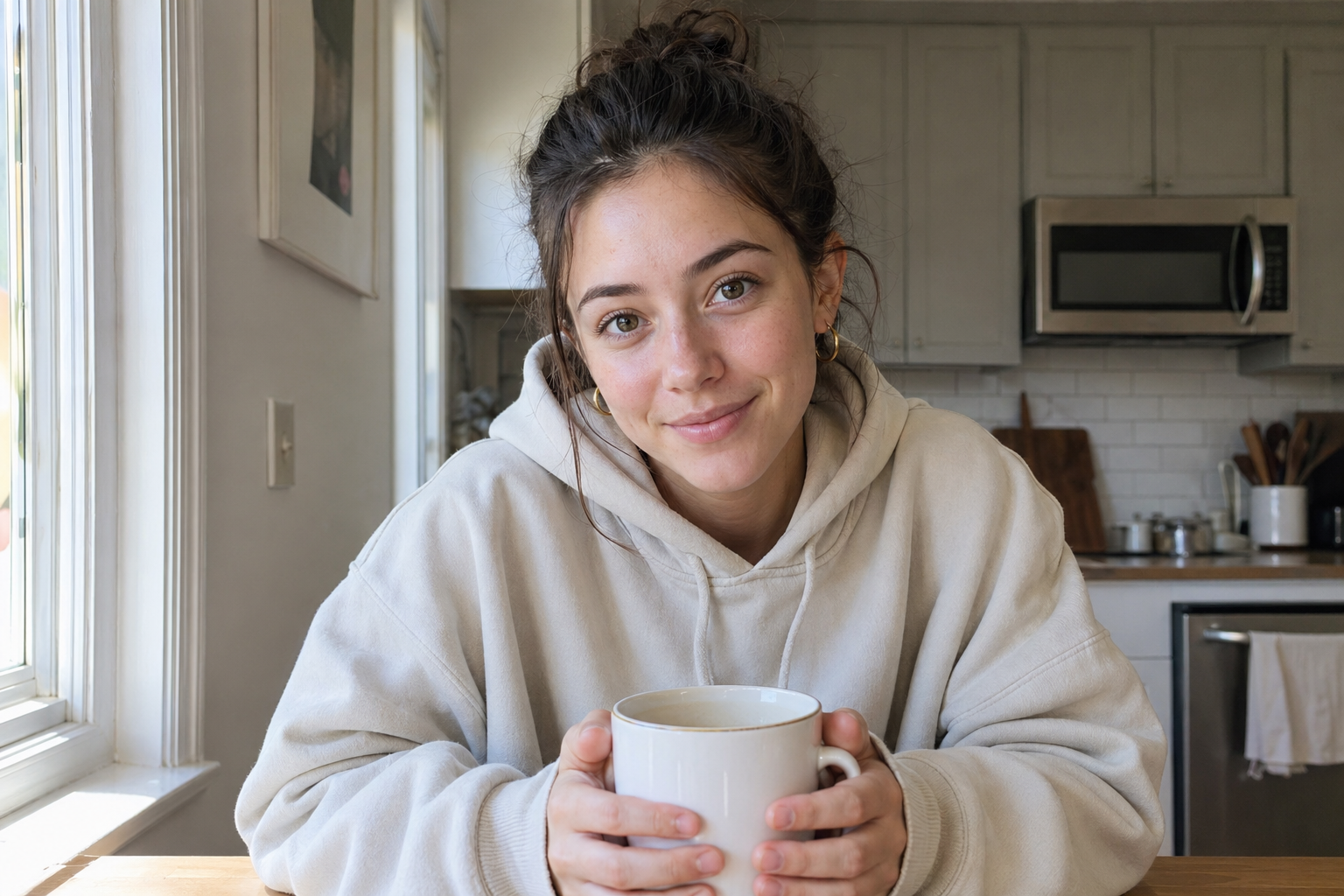
Generate one base portrait with strong, opinionated details: age, outfit, hair, lighting, location. Anything you don't specify becomes a variable the model will re-roll on each generation.
- · Same outfit across slides (cream oversized hoodie)
- · Same lighting (warm window-side daylight)
- · Same location archetype (modern minimal kitchen)
- · Camera angle: phone-height, slight tilt
Generate a master persona reference for a TikTok creator account.
Use gpt-image-2, size 1024x1536, quality high.

Subject: Mid-20s woman, cream oversized hoodie, gold hoop earrings,
hair in messy bun, no makeup. Sitting at a small wooden table in a
modern minimal kitchen. Warm natural daylight from a window on her left.
Holding a white ceramic coffee mug. Soft smile, eyes on camera.
Style: real-life iPhone photo, NOT studio.

Save to ./assets/persona-master.png — I'll reuse it as input image
for every slide variation.Generate 50 hooks with Claude
A slideshow lives or dies on the first frame's text. Generate hooks in batches, score them, keep the top 10%. Claude is good at this when you give it a strict template.
Generate 50 TikTok slideshow hook lines for the niche "remote-first
solopreneur tools". Use these 5 angles, 10 each:

1. POV — "POV: you find the cheat code for X"
2. List — "5 tools every X uses to scale Y"
3. Curiosity gap — "Nobody talks about this but..."
4. Contrarian — "Stop doing X. Do Y instead."
5. Evidence-led: use only a result supplied with a real source; otherwise choose a demonstration.

Output: JSON array. Each entry { angle, hook, est_hook_strength_1_10 }.
Max 12 words per hook. No emojis. No hashtags. Do not invent statistics, personal experience or testimonials.Render each slide from persona + hook
For every approved hook, generate a slide image where the persona acts out the scene. Use the image edit endpoint — pass the persona reference as input image. This is what locks visual consistency.
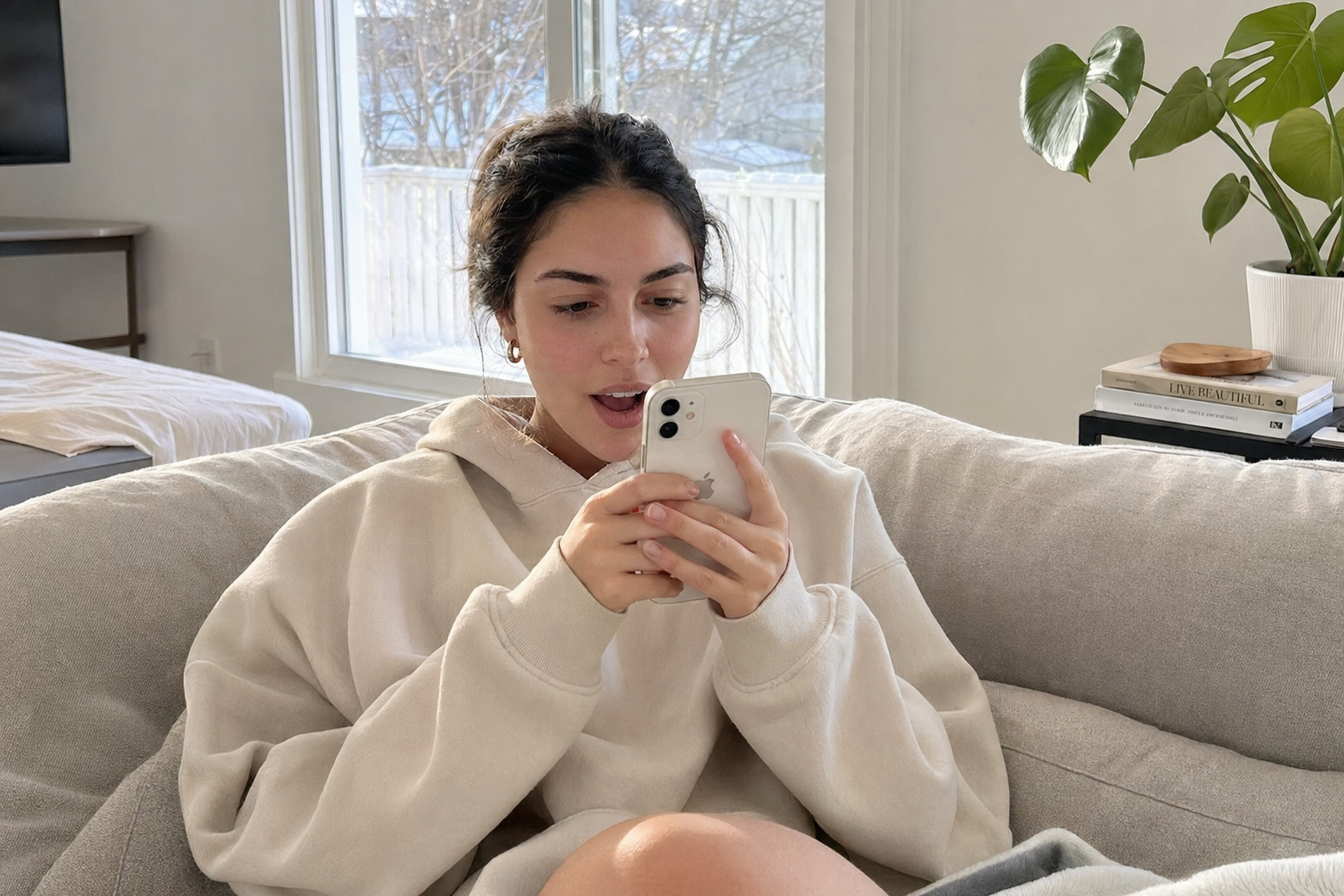
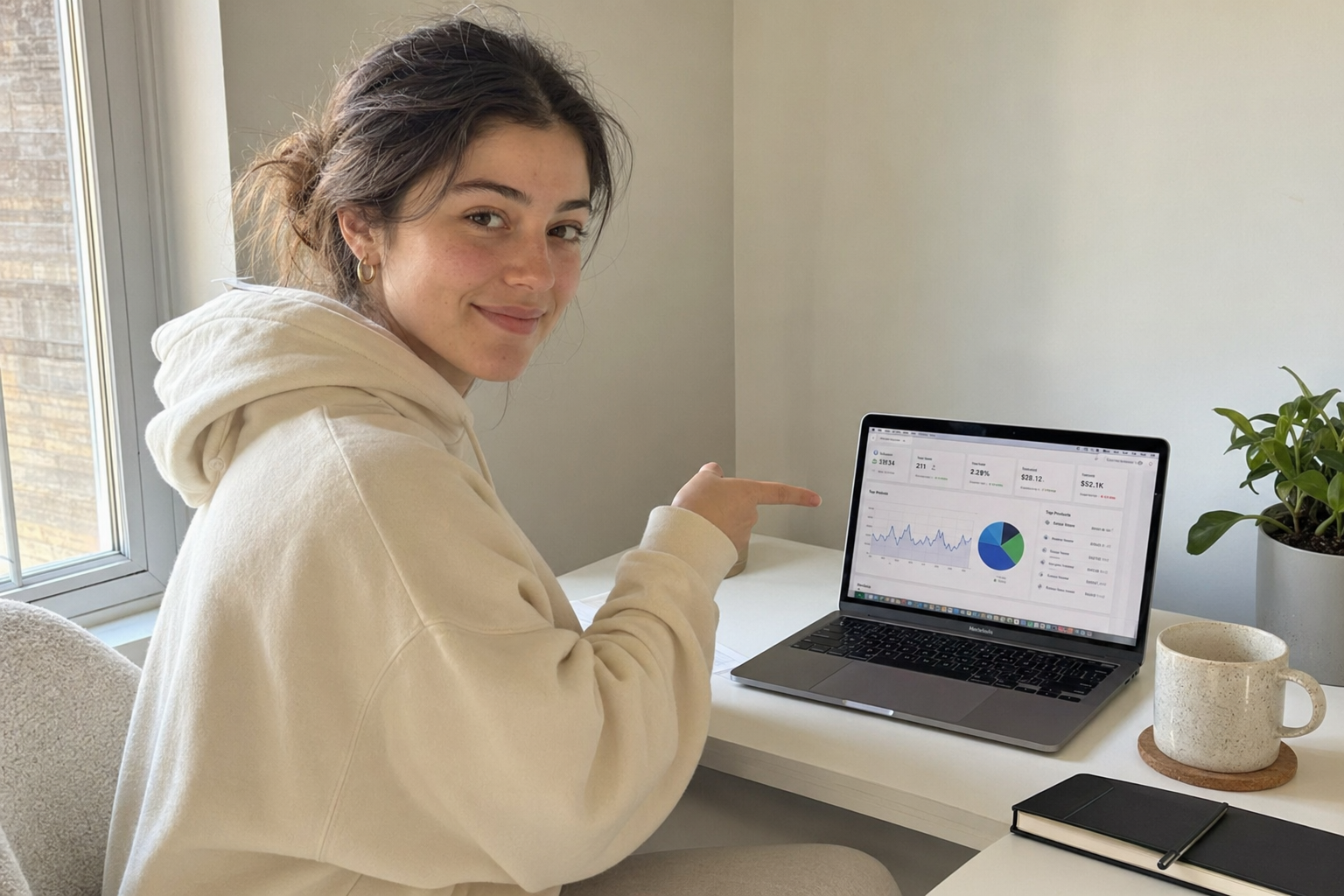
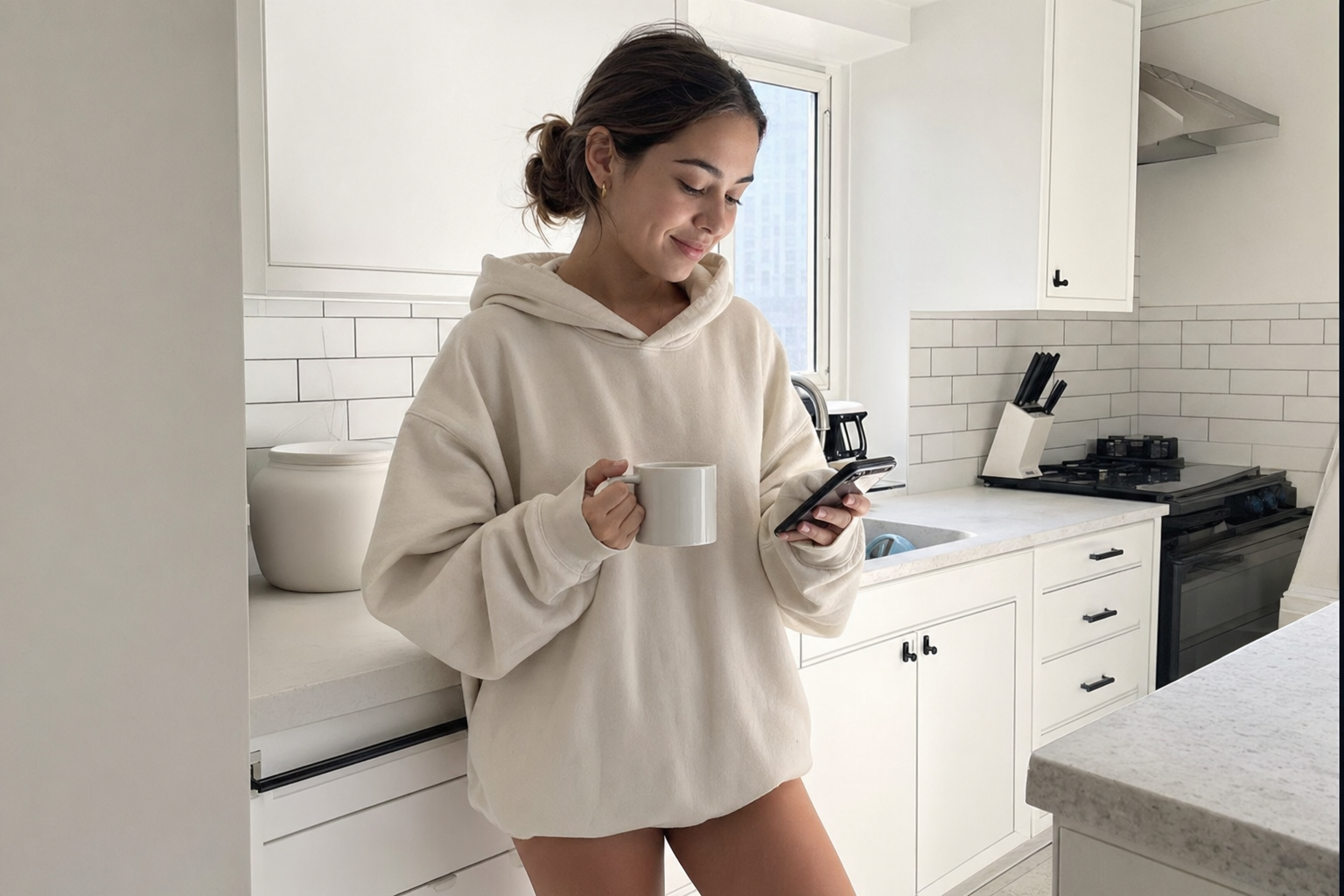
Three raw renders from the same persona reference, three different scenes. Same person, same hoodie, same lighting style — that's the consistency you're after. The text overlay comes in the next step (we never let the image model render the hook).
For each of these 10 hooks, generate one slide image.

Use the persona reference at ./assets/persona-master.png as input.
gpt-image-2 → /v1/images/edits, input_fidelity: high (auto on gpt-image-2).

For each slide:
- Same person, same hoodie, same lighting style
- Different scene: living room sofa / desk / kitchen / car / bed
- Phone in hand or laptop visible when relevant
- Expression matches the hook (shock, smile, smug, focused)
- 1024x1536 portrait

Output filenames: ./out/slide-001.png ... slide-010.pngBurn the hook text into the image
Don't ask the image model to render the text. It will misspell every fifth slide. Render with sharp/canvas: TikTok display font, white fill, 6px black stroke, top 25% of the image.
import sharp from "sharp";

async function burnHook(slidePath: string, hook: string, outPath: string) {
  const W = 1024, H = 1536;
  const svg = `
<svg width="${W}" height="${H}" xmlns="http://www.w3.org/2000/svg">
  <style>
    .h { font-family: 'Proxima Nova Black', Arial Black, sans-serif;
         font-weight: 900; font-size: 88px; fill: white;
         stroke: black; stroke-width: 8; paint-order: stroke fill;
         text-anchor: middle; }
  </style>
  <foreignObject x="40" y="60" width="${W - 80}" height="380">
    <div xmlns="http://www.w3.org/1999/xhtml" class="h"
         style="text-align:center; line-height:1.05;">${hook}</div>
  </foreignObject>
</svg>`;
  await sharp(slidePath)
    .composite([{ input: Buffer.from(svg), top: 0, left: 0 }])
    .toFile(outPath);
}
Font note
Distribute as a TikTok carousel via TokPortal MCP
One MCP call assigns a real US account, uploads the slides as a TikTok photo carousel, and schedules the post. Cursor handles the orchestration end-to-end.
Use the TokPortal MCP.

1. Check my balance with get_credit_balance.
   I need at least 32 (account) + 2 (carousel slot) = 34 credits.

2. Create a bundle:
   create_bundle({
     bundle_type: "account_and_videos",
     platform: "tiktok",
     country: "USA",
     videos_quantity: 1,
     warming: "niche",
     niche_description: "remote-first solopreneur tools"
   })

3. Configure the slot as a TikTok photo carousel:
   configure_video({
     bundle_id, video_index: 0,
     video_type: "tiktok_carousel",
     image_urls: [./out/slide-001.png ... slide-010.png],
     description: "tools that actually moved the needle for me #solopreneur",
     scheduled_for: "2026-05-02T14:00:00-07:00"
   })

4. publish_bundle(bundle_id) — assigns a US account manager.

Confirm each step before moving to the next.
Why a carousel beats a video for this
The UGC Video Machine
Once a slideshow finds product-market-fit on a hook, you graduate it to video. Same persona, new format. The structure is hook (2-4s) → product demo (8-12s), stitched together. Seedance 2.0 handles the hook frame; the product demo is your real screen recording or B-roll.
Reuse the master persona — consistency is trust
Don't re-roll the persona for video. Take the exact same image you used in the slideshow and feed it as the reference frame to Seedance. The viewer's brain already knows this 'creator'.
If your slideshow account has been posting for a few weeks with the same persona, even your profile pic should be a crop of the master reference. Multi-touch consistency compounds way faster than people expect.
Generate the hook frame (still image, then animate)
The hook frame is one new still image: persona + hook scene + camera-friendly composition. Pass it to Seedance image-to-video to animate.
Generate a hook frame for a UGC TikTok video.

1. Use gpt-image-2 edits with ./assets/persona-master.png as input.
   Prompt: "Same person, same hoodie. Standing in a sunlit living room,
   holding her phone facing camera with a slightly amazed expression.
   Composition: subject left third, phone visible right.
   Real-life iPhone photo, 720x1280."

2. Save to ./out/hook-frame.png

3. Then submit it to Seedance 2.0 image-to-video on fal.ai with
   prompt: "She glances at her phone, then looks up at camera with
   a knowing smile. Subtle natural motion. 4 seconds."
Seedance pricing — be intentional
fast/image-to-video endpoint for iteration, switch to standard for the final render when the hook is locked.Stitch hook + product demo with FFmpeg
The hook is the AI part. The product demo is yours — a real screen recording, a real result on screen, a real before/after. Hook plus authentic demo = the highest-trust UGC video format that actually scales.
# Concatenate hook (4s) + demo (12s), normalize loudness
ffmpeg -i hook.mp4 -i demo.mp4 -filter_complex \
  "[0:v][0:a][1:v][1:a]concat=n=2:v=1:a=1[v][a]; \
   [a]loudnorm=I=-16:LRA=11:tp=-1.5[ao]" \
  -map "[v]" -map "[ao]" \
  -c:v libx264 -preset slow -crf 18 -pix_fmt yuv420p \
  -c:a aac -b:a 192k \
out/final.mp4Distribute as a TikTok video via TokPortal MCP
Same MCP, different video_type. The local manager publishes from a real US phone — no flagging, no shadowban from automation signals.
Use the TokPortal MCP. I want to publish out/final.mp4 to one of my
existing US TikTok accounts.

1. list_accounts({ platform: "tiktok", country: "USA" })
   → pick the one with the highest engagement_rate.

2. list_account_bundles for that account → find an open video slot.
   If none, create_bundle({ bundle_type: "videos_only", videos_quantity: 1 })
   for that account.

3. configure_video({
     bundle_id, video_index: <slot>,
     video_type: "tiktok_video",
     video_url: "https://my-cdn.com/final.mp4",
     description: "the only AI tool I actually use daily",
     hashtags: ["#productivity", "#solopreneur"],
     scheduled_for: "<next 14:00 PT>"
   })

4. publish_bundle.
What this looks like in a Cursor session
The whole point of MCP is that you stop writing scripts and start giving instructions. Here's a real prompt — copy it, change the niche, run it.
You have access to TokPortal MCP and the OpenAI + Anthropic SDKs
in this repo.

GOAL: Ship 5 TikTok slideshows for the niche "AI tools for solo
SaaS founders" to 5 different US accounts, scheduled across the
next 5 days at 14:00 PT.

PIPELINE:
1. Read ./assets/persona-master.png. If missing, generate one with
   gpt-image-2 (cream hoodie, modern kitchen, daylight portrait).

2. Use Claude to generate 50 hooks across 5 angles
   (POV / List / Curiosity / Contrarian / Stat). Score each
   1-10. Keep top 10.

3. For each top hook: render 6 slide images with gpt-image-2 edits
   (persona as input). Burn the hook on slide 1, supporting text on
   slides 2-6 with sharp.

4. Upload all PNGs to ./out/, then to your S3 bucket.

5. Use TokPortal MCP:
   - get_credit_balance — confirm I have ≥ 170 credits (5 × 34).
   - For each of the 5 best slideshows, list_accounts to find a US
     account with no published post in the last 36h. If <5 found,
     create_bulk_bundles to spin up new ones.
   - configure_video as a tiktok_carousel with the slide URLs and
     a scheduled_for one day apart.
   - publish_bundle for each.

6. Print a summary table: hook, account_id, scheduled_for, bundle_id.

Confirm step 5 before publishing. Stop on any error.
One prompt, end-to-end
What this actually costs per post
Real numbers, mid-2026 pricing. The TokPortal credit cost dominates for the first post on a new account; once an account is delivered, posting is cheap.
One slideshow on a NEW account
- Claude — 50 hooks~$0.04
- gpt-image-2 — 1 persona ref (high)$0.25
- gpt-image-2 — 6 slide edits (high)$1.50
- TokPortal — account + carousel slot$30.60
- Total per slideshow≈ $32.40
One video on an EXISTING account
- Claude — script + variations~$0.10
- gpt-image-2 — hook frame edit$0.25
- Seedance 2.0 fast — 4s hook$0.97
- Your demo recording$0.00
- TokPortal — video slot only$1.80
- Total per video (existing account)≈ $3.12
Where this gets cheap fast
Plug TokPortal into your Cursor in 60 seconds.
Get an API key, drop the MCP config, and start pushing real US TikTok posts from natural-language prompts. The slideshow and UGC video pipelines above will work the moment your key is live.