
On this page
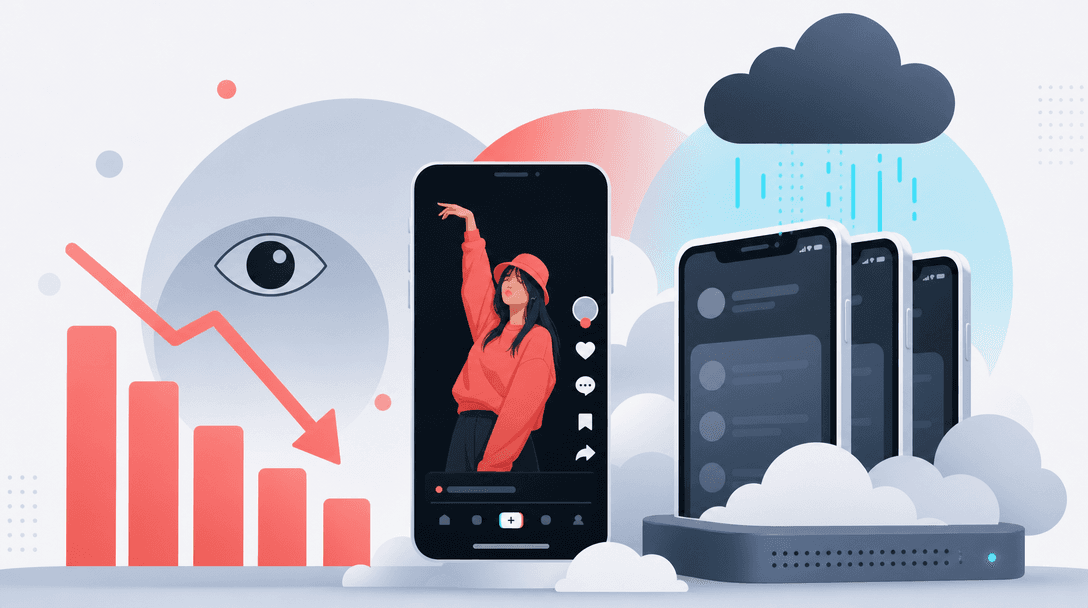
TikTok reach often drops on cloud phones because the posting environment does not look like a normal local smartphone. TikTok can evaluate device, network, location, app-session and behavior signals, so virtual devices, emulators and datacenter networks can receive weaker initial distribution than real phones with local SIMs.
TokPortal is programmable, organic social-media distribution infrastructure — The Human API. It posts across TikTok, Instagram and YouTube through real human operators using real physical devices and local SIM cards in 20 countries, controlled by API, MCP and SDKs.
If your TikTok views collapsed after moving posting to cloud phones, virtual devices or emulators, treat it as an infrastructure problem before you blame the creative. TikTok’s own developer and recommendation documentation makes one thing clear: how content enters the platform matters. Device, network, location, app-session and behavior signals shape whether a post gets a normal first test or a weak one.
This page is for growth teams, agencies, AI-video tools and developers who need reliable posting infrastructure, not one-off creator advice. If you are comparing official API posting, cloud phones and real-device operations, start with the deeper TikTok distribution infrastructure guide and the TikTok API posting guide.
Does TikTok detect cloud phones?
Yes, TikTok can evaluate whether a session looks like a normal mobile session. That does not mean every cloud phone is treated the same, but the platform can observe signals such as device model consistency, operating-system environment, carrier context, IP patterns, location coherence, app behavior and repeated operational patterns.
Cloud phones tend to concentrate many accounts into similar virtual environments. A real phone in São Paulo on a Brazilian SIM, moving through normal local network conditions, produces a different signal set from a virtual handset operated through a remote interface. For organic reach, that difference matters because TikTok’s recommendation systems test posts through early distribution cohorts before deciding whether to expand reach.
The practical question is not “can I log in?” It is “does the post enter TikTok through a context that looks like normal user behavior in the country I want to reach?” That is where cloud-phone stacks usually fail for brands trying to publish at scale.
Why do TikTok emulator reach issues happen?
TikTok emulator reach issues usually come from signal mismatch. The content may be good, but the environment that posts it does not match the account’s claimed country, device history, network history or normal usage pattern.
Common symptoms include strong creative tests on a real phone but very low initial views from emulator-posted accounts, videos that stop inside the first small audience test, or accounts that perform normally when used manually and poorly when handled through the virtual stack.
Emulators also strip away native app context. You can often upload, but you are not reproducing the same conditions as a human posting inside the TikTok app on a real device. That distinction becomes important when you need native sounds, location tags and app-side editing. For that specific workflow, see how native TikTok sounds work when posting inside the real app.
How does device fingerprinting affect TikTok reach?
Device fingerprinting affects TikTok reach because a post is not evaluated only as a video file. It is evaluated as an event: an account, on a device, through a network, in a location, with a behavior history, publishing content into a recommendation system.
Modern mobile platforms expose and protect many device-level signals. Android’s identifier guidance and Apple’s DeviceCheck and App Attest documentation show how seriously mobile ecosystems treat device integrity and app-environment trust. TikTok does not need to publish every ranking input for growth teams to understand the operational implication: inconsistent device history is a weaker foundation for organic distribution.
For a brand campaign, the key fingerprints are not exotic. They are basic consistency checks: the phone model does not change constantly, the account does not jump countries every week, the app session resembles normal usage, the SIM and IP context make geographic sense, and posting cadence fits the account’s history. If those signals break, reach can drop even when the hook, edit and offer are unchanged.
Why are TikTok views low on virtual devices?
TikTok views are often low on virtual devices because the platform receives a weaker trust picture at the exact moment the video needs its first distribution test. TikTok’s For You system considers user interactions, video information and device/account settings. A virtual device can create noise in the device/account layer before the video has a chance to prove itself.
Do not confuse profile-level utilities with distribution infrastructure. A tool used for a TikTok profile picture download, a TikTok profile picture downloader, or a TikTok PFP downloader is a browser-side utility. Posting infrastructure is different: it controls the environment that publishes the video, the device history behind the account and the geo-native context of the session.
If the same creative gets normal views from a hand-held phone and weak views from a virtual device, the first diagnosis should be environment quality. Then check account age, warming history, duplicate creative patterns and country mismatch. Our TikTok account warming guide covers the account-history side of the problem.
How should you switch from an emulator to a real phone on TikTok?
Switching from an emulator to a real phone should be gradual, country-consistent and account-specific. Do not move every account, country and posting schedule at once. That makes it impossible to identify which change restored reach.
Start with a small control group: five to ten accounts, one country, one content format and one posting window. Move those accounts onto real physical phones with local SIMs. Warm the accounts with niche-consistent viewing and normal in-app behavior before returning to campaign volume. Compare early views, retention, comments and profile visits against the emulator group over several posts, not one upload.
If you operate 50, 100 or more accounts, build the migration like a production release. The same way an engineering team would not ship a payment-system rewrite globally on day one, a growth team should not rebuild its TikTok device layer without a control group. For volume planning, use the 100-account TikTok scaling playbook.
What is the best infrastructure for TikTok posting at scale?
The best infrastructure for TikTok posting at scale is real-device, real-app, human-in-the-loop posting with local SIMs in the target countries, controlled through software. That gives growth teams the operational control of an API while preserving the native app context TikTok expects from normal mobile posting.
TokPortal was built for this exact gap. Brands, agencies, AI-content tools and developers can post through real physical smartphones in 20 countries, with local SIM cards and human operators. The platform supports content posting, commenting workflows, analytics, TikTok Spark Codes, Instagram Partnership Ad Codes, webhooks, TypeScript and Python SDKs, MCP, and integrations with n8n, Make and Zapier. Technical teams can start from the TokPortal developer documentation.
The official TikTok Content Posting API is useful when your workflow fits its constraints. It is not a substitute for native in-app posting when you need TikTok sounds, location tags, app-side editing or geo-native account context. If your reach drop began when you moved from phones to cloud infrastructure, the fastest fix is usually not a new editor, hook template or scheduler. It is a better posting environment.
20
countries with TokPortal real-device distribution coverage
150,000+
accounts under management across TikTok, Instagram and YouTube
4,276
active business clients using TokPortal infrastructure
6B+
organic video views generated through TokPortal-managed distribution
Feature
Cloud phones and emulators
Real-device posting infrastructure
Device signal
Network context
Native TikTok features
Operational control
Best use case
Confirm the drop is environment-linked
Compare the same creative format from a cloud phone group and a real-phone group. Look at early views, watch time, completion, comments and profile visits across at least three posts per account.
Freeze variables before changing infrastructure
Keep the offer, edit style, caption pattern, posting window and target country stable. If everything changes at once, you cannot isolate whether the device layer caused the recovery.
Move a small account cohort to real devices
Start with five to ten accounts in one country. Use physical phones, local SIM cards and country-consistent network behavior before restarting campaign volume.
Warm the accounts before full posting volume
Run niche-consistent in-app behavior before publishing at scale. Account history matters; a cold account on a good phone is still a weak distribution asset.
Restore volume only after signal recovery
Increase posting gradually once the real-device group shows stronger first-test distribution. Scale by country and niche, not by copying one account pattern everywhere.
Move repeat workflows into an API layer
Once the real-device process works, connect scheduling, asset delivery, analytics and webhooks through infrastructure instead of manually coordinating every upload.
Original diagnostic: the 3-post device split test
When cloud phones are still acceptable
- Internal QA before a campaign goes live
- Reviewing captions, thumbnails and asset formatting
- Testing non-critical account workflows
- Centralizing access for a small operations team
When they are the wrong layer
- Country-specific brand launches where local context matters
- AI-video campaigns publishing dozens or hundreds of variants
- Agency campaigns where client reach must be repeatable
- Workflows that need TikTok sounds, location tags or native in-app editing
- Real physical smartphones with local SIM cards in 20 countries
- Native in-app TikTok posting with sounds, location tags and editing
- Human operators handling the app-side publishing step
- REST API, MCP server, TypeScript SDK, Python SDK and webhooks
- n8n, Make and Zapier integrations for automated campaign workflows
- Account warming options before campaign volume
- TikTok Spark Codes and Instagram Partnership Ad Codes for handoff workflows
Replace fragile cloud-phone posting with real-device distribution
Plan your first real-device TikTok campaign across local phones, SIMs and native app posting instead of rebuilding another virtual stack.
Does TikTok detect cloud phones?+
Why did my TikTok views collapse suddenly after moving to emulators?+
Can the official TikTok Content Posting API fix cloud-phone reach drops?+
How many posts should I test before blaming the device layer?+
What is the safest way to switch from cloud phones to real phones?+
What infrastructure does TokPortal use for TikTok posting?+

Written by
Vincent Tellenne
Co-founder & CEO
Vincent is a co-founder and CEO of TokPortal. He works on the infrastructure and operating model behind scaled organic social media distribution.
Learn more about this topic with AI
Related Resources
How to Post on TikTok via API in 2026 (Step-by-Step Working Guide)
Post videos to TikTok automatically with the official Content Posting API. Working examples, auth setup, sounds, scheduling — everything that works in 2026.
How to Scale TikTok Marketing with 100+ Accounts in 2026
Learn how to scale TikTok marketing with 100+ accounts using real devices, native posting, and account warming. Complete guide for brands and agencies running multi-account organic campaigns in 2026.
The Complete Guide to TikTok Account Warming in 2026
Master TikTok account warming for maximum organic reach. Learn warming techniques, timelines, and how to automate the process with TokPortal's niche warming and deep warming features.
TikTok Algorithm 2026: How Organic Distribution Really Works
Deep dive into the TikTok algorithm in 2026. Understand how organic distribution works, why some videos go viral, and how to optimize multi-account campaigns for maximum reach.
TikTok Distribution at Scale: The Infrastructure Guide
Learn how to build a scalable TikTok distribution infrastructure. From account farms to geo-targeting, this guide covers everything marketing pros need to grow at scale.
How to Add TikTok Sounds via API: Native In-App Posting Explained
Learn how to add TikTok sounds via API using TokPortal's native in-app posting. Add trending sounds, control volume levels, and use carousels — all programmatically.
From the guide to your first campaign
You make the content.
TokPortal runs the account operations.
Create and operate TikTok and Instagram accounts in your target market. Local operators handle the account work and native publishing. You control the brief, content and campaign from the dashboard, API or MCP.
- 01Choose your market
- 02Define each account
- 03Schedule your content
Review market availability and pricing before ordering. No reach forecast is built into your plan.