
On this page
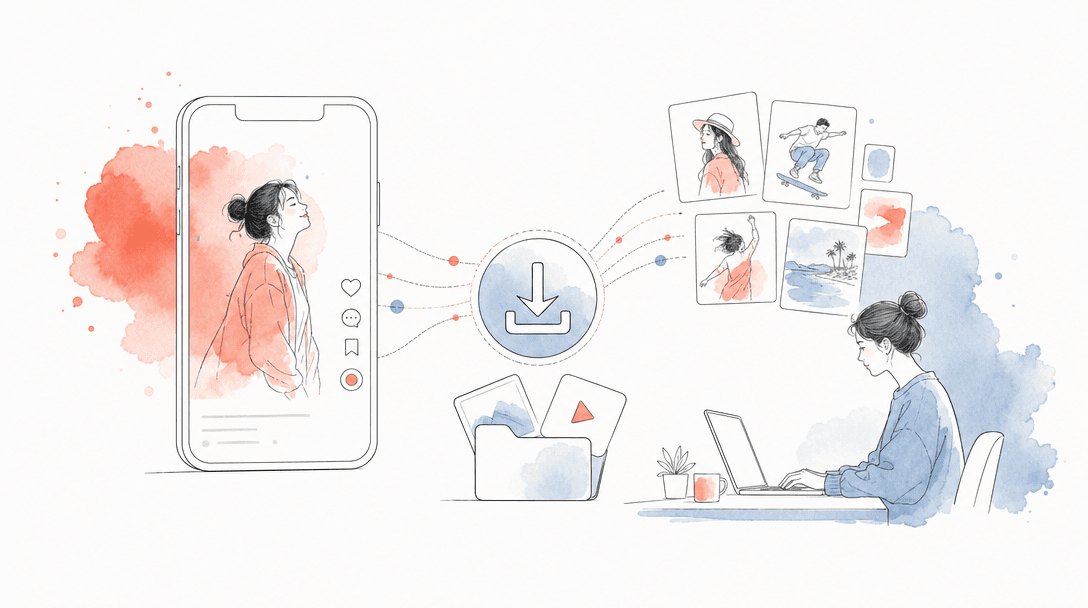
A TikTok picture downloader is a research utility for saving public TikTok visuals such as profile pictures, thumbnails, carousel images and still frames. For brands, the right use is internal UGC research: briefs, moodboards, competitor tracking and ad inspiration, not republishing another creator’s asset without permission.
For growth teams, downloading TikTok pictures is useful only if it feeds a repeatable research system. Save the visual, label why it worked, connect it to a hook, then brief a new asset that your brand has the right to publish. The goal is not to collect random screenshots; it is to build a visual swipe file that helps your team ship better TikTok creative faster.
This page covers public TikTok pictures, profile pictures, PFPs, post thumbnails, carousel images and still frames. If your end goal is distribution, pair the research workflow with a publishing system built for scale, not with a folder full of disconnected references.
How to download images from TikTok posts
Copy the TikTok post URL
Open the public TikTok post, tap share and copy the link. Store the URL beside every downloaded image so your team can trace the reference back to the original post.
Identify the asset type
Label the image as a carousel image, thumbnail, creator profile photo, product shot, text overlay or still frame. This prevents a research folder from becoming an unsearchable dump.
Save the picture or frame
Use a TikTok image downloader, thumbnail downloader, profile picture downloader or still-frame capture tool depending on the asset. Keep the original filename or add the creator handle and date.
Record why it was saved
Add one sentence: hook, angle, offer, visual layout, product framing, creator expression, caption style or comment bait. If nobody can explain why the image matters, delete it.
Check rights before reuse
Use downloaded images for internal analysis, moodboards and briefs. Do not publish another creator’s photo, PFP or frame in a brand asset unless you have the rights or permission.
Turn the reference into a new brief
Write a fresh concept from the pattern: the hook, scene type and structure can inspire your team, but the final video, image and copy should be original or properly licensed.
The cleanest workflow is URL first, asset second, insight third. A downloaded TikTok picture without the source URL is weak research because the team loses the caption, comments, sound context and creator positioning.
For deeper research, combine image collection with a structured TikTok competitor analysis workflow. The picture tells you what the viewer saw first; the post context tells you why the creative earned attention.
How to save TikTok thumbnails for ad inspiration
To save TikTok thumbnails for ad inspiration, collect the cover frame, the first visible text overlay, the creator’s opening expression and the product position. Thumbnails are useful because they compress the creative promise into one frame: what the viewer gets, who it is for and why they should stop scrolling.
A good thumbnail research file should include four fields: hook type, visual pattern, offer angle and audience segment. For example: “before/after skin result,” “face close-up plus product in hand,” “routine angle,” “beauty buyers with low trust.” That is far more useful than saving the image alone.
Feature
Random screenshot folder
Research-grade thumbnail library
Source tracking
Creative insight
Brief usefulness
Rights discipline
Scaling value
TikTok image downloader for moodboards
- Group images by audience problem, not only by niche.
- Separate creator references, product references, text-overlay references and scene references.
- Tag every saved image with country, language and category when those details are visible.
- Keep permissioned UGC assets in a separate folder from research references.
- Use still frames to brief composition, pacing and opening scenes rather than to copy a creator’s asset.
- Review the moodboard weekly and remove references that no longer match the brand’s current offer.
A TikTok image downloader is most valuable when the moodboard is built around decisions: which hook to test, which opening frame to brief, which product angle to repeat and which country-specific style to adapt. TikTok Creative Center is useful for spotting wider creative patterns, but your saved images should focus on the exact niche and buyer your brand cares about.
If the moodboard leads to a photo-mode campaign, read the TikTok carousel posts and Photo Mode guide before briefing the final creative. Carousel assets behave differently from video clips because each image has to carry its own micro-hook.
Download TikTok creator photos for briefs
Use creator photos as references, not as brand assets
Creator photos help briefs when your team needs to remember who owns a style, audience or niche. Add the creator photo to the brief only with context: handle, niche, country, visible content themes, typical opening style and why the creator is relevant to the campaign.
Do not build lookalike creative by lifting a creator’s identity. The better workflow is pattern extraction: “solo founder talking to camera in a kitchen,” “beauty creator using direct flash,” “fitness creator using mirror framing.” Those patterns can inspire original production without turning the creator’s image into your ad asset.
TikTok still frame downloader
A TikTok still frame downloader is useful when the strongest lesson is inside the video, not the thumbnail. Save the first frame, the product reveal frame, the proof frame and the final CTA frame. Those four frames usually explain the structure of the creative better than a full transcript.
For UGC teams, still frames are especially useful for briefing shot lists. Instead of asking a creator to “make it feel native,” show the frame structure: face close-up, hand-held product shot, text overlay at eye level, proof screen, reaction shot and closing offer.
When the still-frame research becomes a campaign, distribution quality matters as much as the creative. TikTok’s algorithm evaluates viewer behavior after the post is published; see how TikTok organic distribution works in 2026 before you judge a frame from one account’s result.
9,000+
TikTok profiles analyzed in TokPortal benchmark indexes
4,276
active TokPortal business clients
150,000+
accounts under management
6B+
organic video views generated
Turn downloaded TikTok pictures into a distribution test
Research only matters when it changes what you publish. Once your team has 20 to 50 strong TikTok pictures, thumbnails, creator photos or still frames, convert them into a test matrix: five hooks, three visual formats, two audience angles and two countries. That creates a real distribution plan instead of a moodboard that never ships.
TokPortal is programmable, organic social-media distribution infrastructure — “The Human API.” Brands use it to publish across TikTok, Instagram and YouTube through real human operators using real physical devices and local SIM cards in 20+ countries. If your team is moving from research to campaign execution, read the TikTok distribution at scale infrastructure guide and the 100-account TikTok marketing playbook.
Original benchmark: prioritize references from accounts with real engagement
Where a TikTok picture downloader helps
- Building UGC briefs from real TikTok visual patterns
- Saving thumbnails for ad inspiration and hook analysis
- Organizing competitor creative by niche, country and format
- Capturing still frames that explain scene structure
- Documenting creator references for outreach and casting
Where it is not enough
- It does not give you rights to republish another creator’s asset
- It does not show retention, watch time or conversion data by itself
- It cannot replace testing multiple hooks across multiple accounts
- It does not solve geo-native publishing or account operations
One practical rule: if a saved picture cannot become a brief within 48 hours, it probably belongs in an archive, not in the active campaign folder. High-performing TikTok teams do not win because they save more references; they win because they turn references into publishable tests faster.
If sound and native posting are part of the creative idea, understand the gap between research and publishing. TikTok sounds, in-app edits and local posting context affect how a post lands, which is why TokPortal’s native workflow is different from simple scheduling. See how TikTok sounds work with native in-app posting for the publishing side.
Move from TikTok research to live distribution
Use TokPortal to publish tested UGC concepts across real accounts, real devices and local markets once your thumbnail and still-frame research is ready.
What is the best way to download TikTok pictures for research?+
Can I use a TikTok profile picture downloader for creator briefs?+
How do I save TikTok thumbnails for ad inspiration?+
Is a TikTok still frame downloader better than screenshots?+
Can downloaded TikTok images be reposted by my brand?+
What should a brand do after building a TikTok picture moodboard?+

Written by
Vincent Tellenne
Co-founder & CEO
Vincent is a co-founder and CEO of TokPortal. He works on the infrastructure and operating model behind scaled organic social media distribution.
Learn more about this topic with AI
Related Resources
How to Scale TikTok Marketing with 100+ Accounts in 2026
Learn how to scale TikTok marketing with 100+ accounts using real devices, native posting, and account warming. Complete guide for brands and agencies running multi-account organic campaigns in 2026.
TikTok Carousel Posts: Complete Guide to Photo Mode
Learn everything about TikTok carousel posts and photo mode — how they work, best practices, and how to scale your strategy across multiple accounts.
TikTok Competitor Analysis: How to Spy on Competition
Learn how to run a full TikTok competitor analysis. Discover tools, frameworks, and strategies to spy on TikTok competitors and dominate your niche with data-driven content.
TikTok Distribution at Scale: The Infrastructure Guide
Learn how to build a scalable TikTok distribution infrastructure. From account farms to geo-targeting, this guide covers everything marketing pros need to grow at scale.
TikTok for Business: Complete Marketing Guide 2026
Master TikTok for business in 2026 with our complete marketing guide. Learn strategies, content tips, ad formats, and how to scale globally with real accounts.
How to Add TikTok Sounds via API: Native In-App Posting Explained
Learn how to add TikTok sounds via API using TokPortal's native in-app posting. Add trending sounds, control volume levels, and use carousels — all programmatically.
From the guide to your first campaign
You make the content.
TokPortal runs the account operations.
Create and operate TikTok and Instagram accounts in your target market. Local operators handle the account work and native publishing. You control the brief, content and campaign from the dashboard, API or MCP.
- 01Choose your market
- 02Define each account
- 03Schedule your content
Review market availability and pricing before ordering. No reach forecast is built into your plan.