
On this page
TokPortal is programmable organic social distribution infrastructure for Instagram Reels teams that outgrow the Instagram Graph API. The Graph API can publish Reels from hosted video URLs, but it cannot operate the full native app experience: trending audio selection, location context, manual edits, and human review on real devices.
The Instagram Graph API is useful for structured Reels publishing, but it is not the same as posting inside Instagram. Meta’s official Content Publishing flow is built around media containers, hosted video URLs, permissions, and publishing calls; it does not expose every creative action available in the mobile app. If your pipeline needs native audio selection, real-device posting, operator review, local account context, webhooks, and SDK-driven orchestration, treat the Graph API as one option in a wider distribution stack, not the whole stack.
TokPortal’s developer path is for teams building high-volume Reels, TikTok, and YouTube Shorts workflows. If you are comparing API-only scheduling against native in-app distribution, also read TokPortal’s auto social media posting guide and the Instagram Reels distribution at scale playbook.
How to auto post Instagram Reels with trending audio
You cannot reliably auto post Instagram Reels with trending in-app audio through the Graph API alone. Meta’s Instagram Content Publishing documentation supports publishing eligible media through API calls, but the mobile app’s discovery, selection, and editing surfaces for trending audio are not exposed as a simple “choose this sound” API parameter.
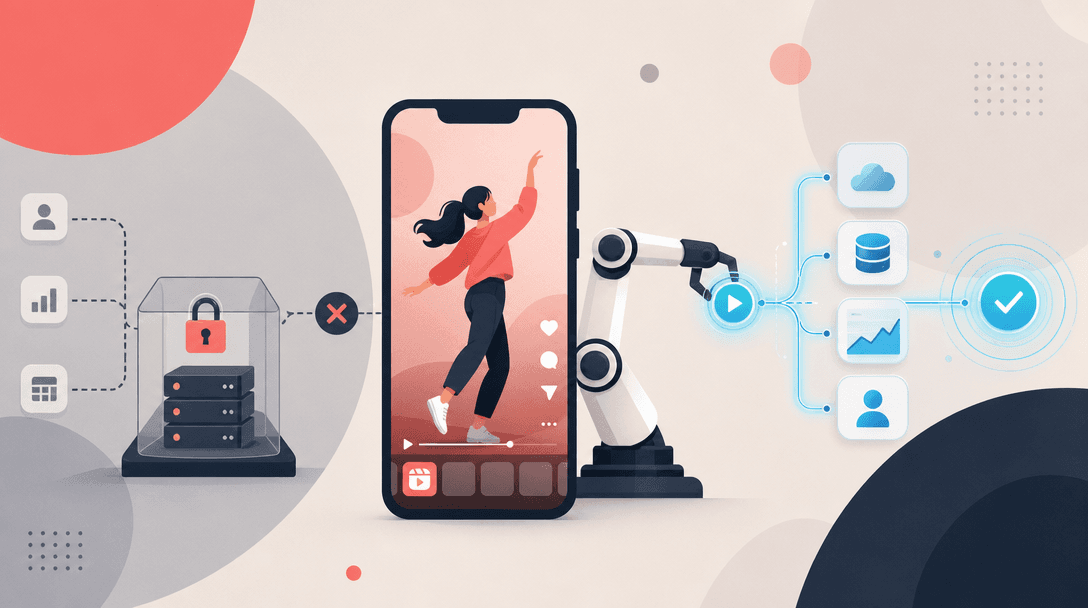
The practical workflow is: generate or edit the video upstream, send the asset and instructions through an API, then have the Reel posted inside the real Instagram app by a trained operator on a real phone. That gives the campaign access to app-native creative actions such as audio selection, captions, location context, and final human review before publish.
This is the same infrastructure principle explained in TokPortal’s native in-app sounds guide for TikTok: when the official API does not expose a creative surface, the distribution layer has to operate where the creative surface actually exists — inside the app.
Instagram API vs in-app posting reach
Feature
Instagram Graph API publishing
TokPortal native in-app posting
Best fit
Creative controls
Account requirements
Scheduling model
Analytics model
Where it is not needed
The reach difference is usually indirect, not magical. In-app posting gives operators access to the same native surfaces Instagram creators use: current audio, on-device editing, location context, and account-specific review. API publishing is cleaner for deterministic workflows, but it is constrained to the surfaces Meta exposes in developer documentation.
For growth teams, the decision is operational: use Graph API when standardization matters more than native context; use a real-device distribution layer when the campaign’s performance depends on creative fit, localized posting, and manual QA. If your team has seen Reels performance change after moving to a scheduler, compare the recovery checklist in Instagram Reels reach dropped after scheduler: fixes.
Graph API limitations for Reels scheduling
- The Instagram Content Publishing API is built around creating a media container, then publishing that container with a separate call.
- The publishing flow requires eligible Instagram Professional accounts and the permissions defined by Meta’s current developer documentation.
- Media must be available through a URL that Meta can access; this is different from a human selecting a local asset inside the mobile app.
- Meta documents a content publishing limit of 50 API-published posts within a 24-hour moving window per Instagram account.
- The API does not expose every creative control available in the Instagram mobile app, including the full native audio and editing experience.
- Scheduling reliability depends on your asset hosting, permission state, app review status, token management, and publishing job monitoring.
- Analytics and event handling require a combination of Graph API reads, insights endpoints, Webhooks, and your own campaign database.
Original operator insight: impressions are not the same as buyer intent
Real device network for Reels automation
20
countries with local TokPortal device coverage
150,000+
accounts under management
4,276
active business clients
6B+
organic video views generated
A real-device network means Reels are posted through real physical smartphones, local mobile environments, and human operators rather than a server-only scheduler. TokPortal operates across the USA, UK, Australia, Brazil, Canada, Colombia, Finland, France, Germany, Indonesia, Italy, Japan, Malaysia, Mexico, Pakistan, Philippines, Portugal, Romania, Spain, and Switzerland.
That matters because social platforms evaluate more than an upload request. Device context, app behavior, local presence, and account history all influence how natural a publishing workflow looks. TokPortal’s model is neutral infrastructure: API-controlled campaign tasks are executed by humans on real devices, so teams can scale organic distribution while keeping account ownership, approvals, and publishing instructions explicit.
If your team is building multi-platform infrastructure, the same architecture applies on TikTok. See TikTok distribution at scale: the infrastructure guide and TikTok API alternatives for the equivalent decision model.
Webhooks for Instagram Reels analytics
Use webhooks for workflow events, then pull platform analytics for the metrics your campaign actually needs. Meta’s Instagram Webhooks documentation covers subscription-based updates for supported Instagram objects and fields. For a production Reels pipeline, webhooks should not be treated as the whole analytics system; they are the trigger layer.
A durable setup has four layers: job webhooks from your distribution provider, publishing status stored in your database, platform insights fetched through permitted API fields, and campaign dashboards that normalize performance across accounts. TokPortal supports webhooks so your application can react when a post task is accepted, needs review, is published, or returns reporting data.
For Reels analytics, track at minimum: account, country, creative ID, caption variant, audio instruction, publish time, URL, status, views, engagement, saves where available, comments, and downstream conversion events. The webhook should move the job through your workflow; your reporting warehouse should decide whether the creative earns more distribution.
Python SDK to post Reels programmatically
Prepare the Reel asset and instructions
Export the video, caption, hashtags, location preference, account target, audio instruction, and approval rules. If native audio is required, pass it as an operator instruction rather than assuming a Graph API parameter exists.
Create the posting task through TokPortal
Use the TokPortal API or Python SDK to create a Reels posting job with the target account, asset URL, caption, schedule window, and review requirements.
Route the task to a real device
TokPortal assigns the task to the appropriate real-device workflow based on platform, account, country, and campaign constraints.
Perform native in-app posting
A trained human operator posts inside Instagram, applies the requested native app actions where available, verifies the preview, and publishes according to the task instructions.
Receive webhook updates
Your system receives status updates such as accepted, in review, published, failed with reason, or analytics available, then updates your campaign database.
Analyze and reallocate distribution
Compare early performance by creative, account, country, and audio instruction. Send more volume to the combinations that clear your engagement or conversion threshold.
For developers, the clean pattern is not “replace every official API call.” It is to separate orchestration from execution. Your Python service should own asset generation, campaign rules, scheduling windows, and analytics. TokPortal should own the real-device execution path when Graph API publishing does not cover the required Reels experience.
Start with the TokPortal developer documentation for REST API, Python SDK, TypeScript SDK, MCP support, and webhooks. If you are also distributing to TikTok from the same backend, compare the implementation path in how to post to TikTok via API.
When TokPortal is the right Reels API alternative
- You need native app actions such as audio selection, location context, final edits, and human review.
- You run Reels across multiple accounts, countries, client brands, or creative variants.
- Your AI video pipeline generates more content than your internal team can manually publish.
- You need webhooks, SDKs, and a programmatic campaign layer without giving up in-app execution.
- You want neutral distribution infrastructure across Instagram, TikTok, and YouTube rather than a single-platform scheduler.
When the Instagram Graph API is enough
- You publish a small number of Reels to one owned Instagram Professional account.
- Your creative is fully rendered before upload and does not need native audio or app-only edits.
- Your team is comfortable maintaining Meta app permissions, tokens, asset hosting, and publish monitoring.
- You only need calendar scheduling, not real-device operations or country-specific distribution.
- Your workflow can stay within Meta’s documented Content Publishing limits and supported fields.
Build a Reels posting workflow with real-device execution
Use TokPortal’s API, Python SDK, webhooks, and operator network to publish Instagram Reels beyond Graph API-only scheduling limits.
Can the Instagram Graph API publish Reels?+
Can I add trending Instagram audio through the Reels API?+
What is the main alternative to the Instagram Graph API for Reels?+
How do webhooks fit into Reels automation?+
Is TokPortal better than the Graph API for every Instagram team?+

Written by
Vincent Tellenne
Co-founder & CEO
Vincent is a co-founder and CEO of TokPortal. He works on the infrastructure and operating model behind scaled organic social media distribution.
Learn more about this topic with AI
Related Resources
Auto Social Media Posting: The Complete Guide
Learn how to set up auto social media posting with TokPortal. Automate TikTok & Instagram posts across real accounts in 30+ countries. Scale your content strategy today.
Instagram Reels Reach Dropped After Scheduler: Fixes
Instagram Reels reach dropped after scheduling? Use this 14-day test to isolate scheduler, account, creative, device, and cadence issues.
How to Post on TikTok via API in 2026 (Step-by-Step Working Guide)
Post videos to TikTok automatically with the official Content Posting API. Working examples, auth setup, sounds, scheduling — everything that works in 2026.
TikTok API Alternatives: When the Official API Isn't Enough
Explore the best TikTok API alternatives for content posting, account management, and automation. Learn when the official API falls short and what to use instead.
TikTok Distribution at Scale: The Infrastructure Guide
Learn how to build a scalable TikTok distribution infrastructure. From account farms to geo-targeting, this guide covers everything marketing pros need to grow at scale.
From the guide to your first campaign
You make the content.
TokPortal runs the account operations.
Create and operate TikTok and Instagram accounts in your target market. Local operators handle the account work and native publishing. You control the brief, content and campaign from the dashboard, API or MCP.
- 01Choose your market
- 02Define each account
- 03Schedule your content
Review market availability and pricing before ordering. No reach forecast is built into your plan.