
On this page
TokPortal is programmable organic social-media distribution infrastructure that lets teams post Runway Gen-2 videos to TikTok through real devices, local SIMs, and human operators. The practical workflow is: export the Runway video, trigger n8n, send the asset and metadata to the TokPortal API, then track publish events with webhooks.
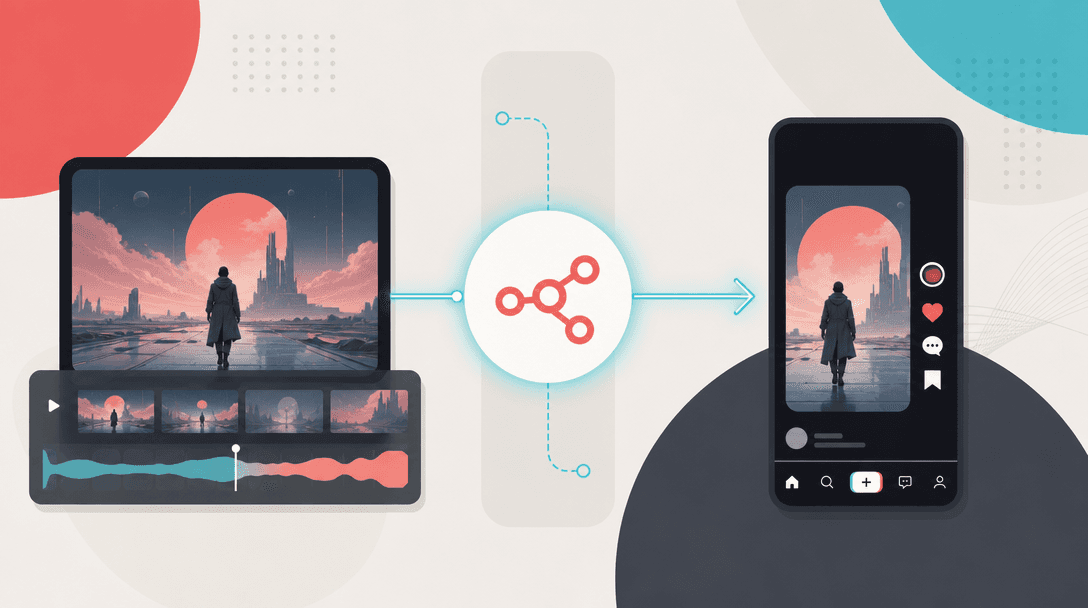
Runway Gen-2 is the generation layer; TokPortal is the distribution layer. n8n sits between them as the workflow router: it watches for completed video exports, normalizes captions and campaign fields, calls the TokPortal API, and listens for publishing events. This matters because AI video volume is no longer the hard part. The hard part is getting those clips posted natively, in the right country, on the right account, with the right metadata.
This page is for AI video teams, agencies, and technical growth operators who already generate short-form video and need a repeatable posting system for TikTok. If you are building a broader automation stack, start with the TokPortal + n8n integration guide and the TokPortal developer docs.
How to auto upload Runway videos to TikTok
To auto upload Runway videos to TikTok, export the finished Runway clip to a storage location, trigger an n8n workflow, attach the video URL plus caption metadata, and create a TokPortal posting job by API. TokPortal then publishes through the real TikTok app on real physical smartphones, which preserves native posting options that the standard posting API does not cover.
The cleanest production setup is not a browser macro. It is a queue. Each row or webhook event should include the final video file, target country, account group, caption, sound instructions, posting window, and campaign ID. TokPortal supports native in-app posting across TikTok, Instagram, and YouTube, with 20-country geographic coverage and webhooks for publish status.
Export or receive the finished Runway video
Save the final Runway Gen-2 asset to a stable URL in a storage system n8n can read, such as cloud storage, an internal media library, or a signed asset endpoint.
Trigger n8n when the asset is ready
Use an n8n Webhook, Schedule Trigger, Google Drive trigger, Airtable trigger, or HTTP polling step to start the workflow only after the video file is available.
Validate the creative and metadata
Check that the file, caption, target country, account group, campaign ID, and posting window are present before creating a posting job.
Create the TokPortal post job
Send the video URL and metadata to the TokPortal REST API. Use TokPortal account groups when one campaign needs multiple country or niche-specific accounts.
Publish natively through TokPortal
TokPortal routes the post to real devices and human operators for native in-app publishing, including TikTok sounds, location tags, and app-level editing when configured.
Track completion with webhooks
Subscribe to TokPortal webhook events so n8n can update Airtable, Slack, your CRM, or a campaign dashboard when posts are published or need review.
Runway Gen-2 n8n workflow
A practical Runway Gen-2 n8n workflow has seven nodes: trigger, fetch asset, validate fields, enrich caption, choose account group, call TokPortal, and log the result. Keep the workflow boring. The less creative logic you put into the posting step, the easier it is to debug at campaign volume.
For teams using Runway outputs inside Airtable, Google Sheets, or a custom CMS, n8n should act as the orchestration layer rather than the source of truth. Store campaign state in one place, then let n8n move rows from approved to queued to submitted to published. For a deeper pipeline pattern, see building a content distribution pipeline with TokPortal API + n8n.
- Trigger: new approved Runway export or scheduled batch window.
- Input: video URL, caption, destination platform, target country, account group, campaign ID.
- Decision: TikTok only, TikTok + Reels, or multi-platform distribution.
- Action: TokPortal API request to create the posting job.
- Feedback: webhook event updates your campaign table and alerts the operator team.
- Webhook trigger for completed Runway exports
- HTTP Request node for TokPortal REST API calls
- Airtable or Google Sheets campaign queue
- Caption enrichment before posting
- Country-specific account group selection
- TokPortal webhook listener for publish events
- Slack or email alert for review-required jobs
- Retry branch for missing media, captions, or campaign fields
TikTok automation for Runway AI content
Feature
Official posting API path
TokPortal native posting path
Best use case
TikTok sounds
Location and local context
Workflow control
Multi-account campaigns
TikTok automation for Runway AI content should be designed around distribution quality, not just upload completion. The official TikTok Content Posting API is useful for certain owned-account workflows, and it should be considered when the feature set is enough. TokPortal is the better fit when the requirement is native app publishing, country-specific reach, sounds, location tags, account groups, and a workflow your growth team can operate at volume.
This is also where search intent matters. A query such as TikTok profile picture download, TikTok profile picture downloader, TikTok pfp downloader, download pp TikTok, or TikTok profile viewer is utility intent. It is not the same buyer as a team searching for runway gen 2 tiktok automation. This workflow is for companies distributing generated video, not for one-off profile utilities.
Runway to Instagram Reels automation
The same Runway-to-n8n workflow can route approved clips to Instagram Reels by changing the destination platform and metadata fields before the TokPortal API request. If the campaign needs TikTok and Reels, keep one creative record and create separate platform-specific posting jobs so captions, sounds, locations, and posting windows can differ by channel.
Instagram's Graph API supports content publishing for eligible professional account setups, according to Meta's developer documentation. TokPortal is useful when the campaign needs native in-app handling, account groups, country-specific operators, or cross-platform distribution from one workflow. For visual builders, compare this n8n setup with TokPortal + Make.com automation and TokPortal + Zapier automation.
Connect Runway Gen-2 to TokPortal API
To connect Runway Gen-2 to the TokPortal API, treat Runway as the asset generator and TokPortal as the posting endpoint. n8n should send a structured request containing the media URL, caption, platform, target country, account group, posting window, and optional native-posting instructions.
A production request should include an idempotency key or campaign reference so your system can safely retry failed network calls without creating duplicate campaign records. Subscribe to webhook events so your database reflects the actual posting state instead of assuming that an API submission equals a published post. Use the TokPortal REST API developer guide and the TokPortal webhook events reference when you move from prototype to production.
- Required fields: video URL, platform, caption, target account or account group.
- Recommended fields: country, campaign ID, scheduled window, creative ID, retry key.
- Optional fields: sound instructions, location tag, editing notes, analytics label.
20
countries supported for geo-native distribution
150,000+
accounts under management
4,276
active business clients
6B+
organic video views generated
Original workflow rule: separate generation success from distribution success
Production checklist for AI video teams
Use TokPortal when
- You generate more videos than your owned channels can publish cleanly.
- You need TikTok sounds, location tags, or native in-app posting behavior.
- You run campaigns by country, niche, client, or account group.
- You need webhooks, SDKs, API control, and human-in-the-loop execution.
- You want the same orchestration layer to support TikTok, Instagram, and YouTube.
TokPortal is not the answer when
- You only need to post a few videos per month to one owned account.
- Your team can accept the feature limits of the official posting APIs.
- You do not have final creative approvals before publishing.
- Your campaign goal is a one-off utility workflow rather than scaled distribution.
Before launch, test the full chain with a 10-video batch: Runway export, n8n trigger, validation branch, TokPortal API request, webhook receipt, and dashboard update. If the batch contains multiple countries, split the test by country and account group so failures are traceable. If the batch uses sounds or location tags, confirm those instructions are passed as structured fields instead of free-text notes.
For AI-agent-controlled workflows, use the TokPortal MCP server for AI agents. For high-volume queues, read batch processing TikTok content at scale before you connect client-facing approvals.
Build your account network with TokPortal
Choose your market, define your accounts and schedule your original content.
Can I post Runway Gen-2 videos to TikTok automatically?+
Does Runway Gen-2 connect directly to TokPortal?+
Why use TokPortal instead of only the TikTok Content Posting API?+
Can the same workflow post Runway videos to Instagram Reels?+
What should be stored in n8n versus TokPortal?+
How many credits does a Runway video upload cost in TokPortal?+

Written by
Vincent Tellenne
Co-founder & CEO
Vincent is a co-founder and CEO of TokPortal. He works on the infrastructure and operating model behind scaled organic social media distribution.
Learn more about this topic with AI
Related Resources
Batch Processing TikTok Content: Automation at Scale
Learn how to batch process TikTok content at scale using automation pipelines, API integrations, and multi-account distribution strategies. Cut upload time by 90% and reach global audiences programmatically.
Build a Content Distribution Pipeline with TokPortal API + n8n
Learn how to build a fully automated content distribution pipeline using TokPortal's API and n8n. Post videos to TikTok and Instagram at scale, across multiple accounts and countries, without manual work.
TokPortal + n8n: Automate Account Creation and Video Posting
Integrate TokPortal with n8n to automate TikTok account creation, video posting, and campaign management. Step-by-step guide with workflow templates for 2026.
TokPortal REST API: Complete Developer Guide
The complete developer guide to the TokPortal REST API. Learn how to create TikTok and Instagram accounts, upload videos with native sounds, manage warming, and build automation pipelines programmatically.
TokPortal Webhook Events: Complete Reference Guide
Complete reference guide to TokPortal webhook events. Learn every event type, payload structure, and how to connect real-time social media automation to n8n, Make, Zapier, or your own backend.
From the guide to your first campaign
You make the content.
TokPortal runs the account operations.
Create and operate TikTok and Instagram accounts in your target market. Local operators handle the account work and native publishing. You control the brief, content and campaign from the dashboard, API or MCP.
- 01Choose your market
- 02Define each account
- 03Schedule your content
Review market availability and pricing before ordering. No reach forecast is built into your plan.